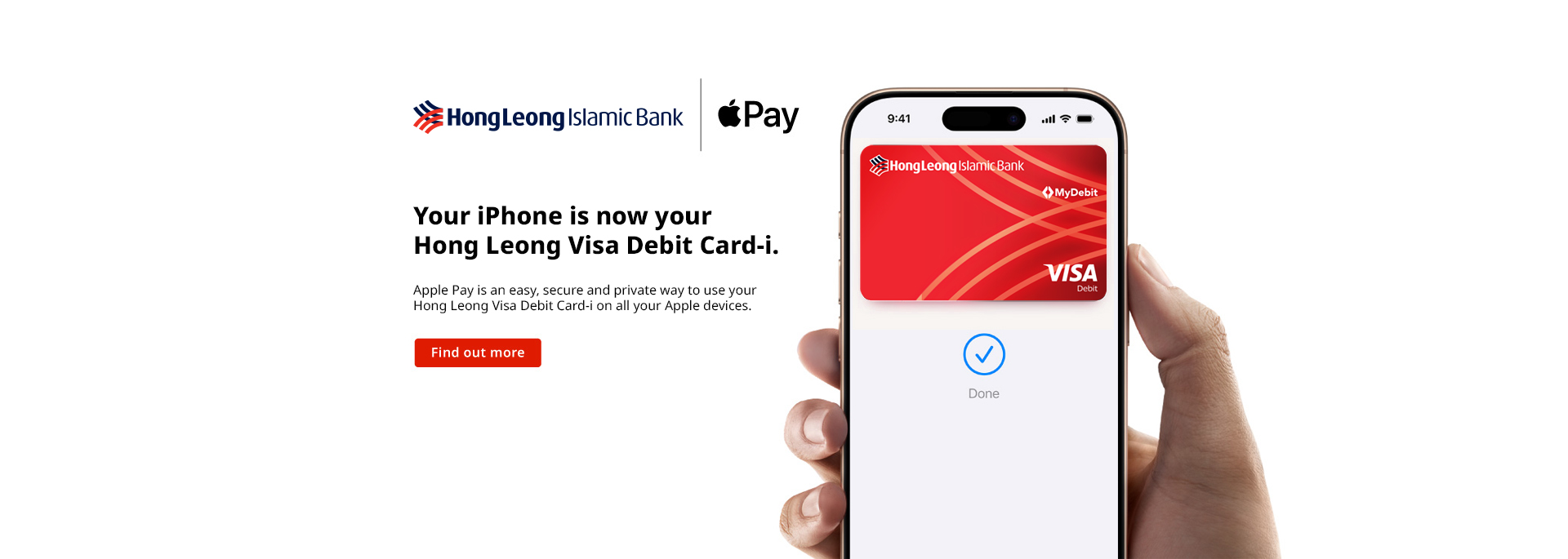
An easy, secure and private way to pay.
Apple Pay is an easy, secure, and private way to use your Hong Leong Visa Debit Card-i on all your Apple devices.
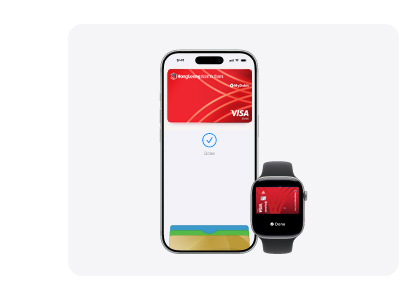

Pay with ease.
On all your Apple devices.
Apple Pay is built into iPhone, Apple Watch, Mac and iPad. Set it up in a few steps and you can easily use your Hong Leong Visa Debit Card-i across all your Apple devices to make purchases online, in apps and in person.

Shop in person. Online.
Or in apps.
Apple Pay is accepted by millions of merchants around the world – in person, online, or in apps. To use Apple Pay to pay with your Hong Leong Visa Debit Card-i, simply look for the  or
or 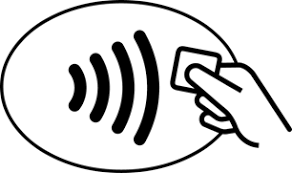 at checkout.
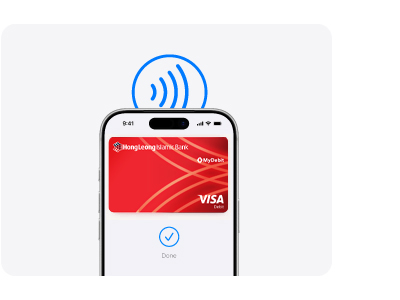
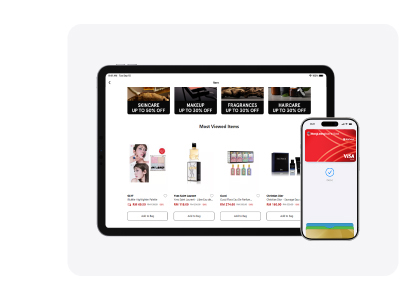

An easy checkout
every time.
Apple Pay lets you check out with Face ID and Touch ID—helping you save time while you complete purchases with your Hong Leong Visa Debit Card-i online and in apps.
Set up in seconds. Directly on your iPhone.
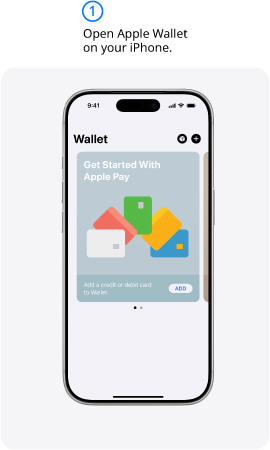
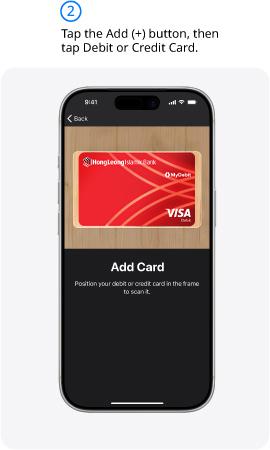
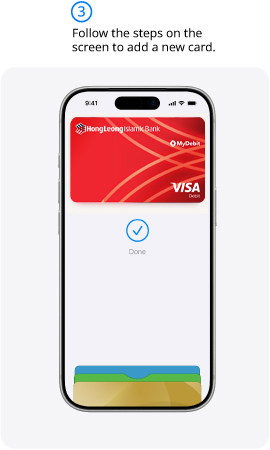
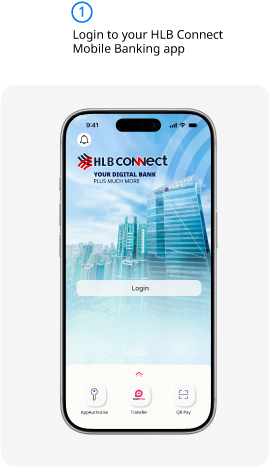
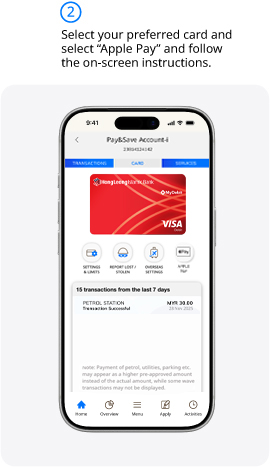
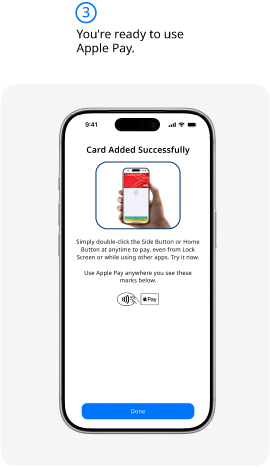

The card benefits you love. With Apple Pay.
When you use your Hong Leong Visa Debit Card-i with Apple Pay, you’ll get the benefits and rewards
you love – just like you would with your physical card.
Frequently Asked Question
|
1 |
What is Apple Pay? |
Apple Pay is a secure and easy-to-use mobile payment service which can be used to make secure purchases in-store and online (in-app or on web) payments using your Apple devices such as iPhone, Apple Watch, iPad and Mac. |
|
2 |
What is Apple Wallet? |
Apple Wallet is a digital wallet application that is pre-installed on Apple devices such as iPhone, Apple Watch, iPad and Mac. It is used for payment cards, transit cards or boarding passes. |
|
3 |
Which devices support Apple Pay? |
Apple Pay works on most iPhone, Apple Watch, iPad and Mac devices. For the latest list of eligible devices, refer to https://support.apple.com/en-us/102896. |
|
4 |
Which Hong Leong Islamic Bank Card is eligible for Apple Pay? |
All Visa Debit Cards issued by Hong Leong Islamic Bank (HLISB) are eligible to use on Apple Pay EXCEPT for the following:
Notes: *The cards listed above will be declined if added to Apple Pay. |
|
5 |
How can I add my Debit Card-i to Apple Pay? |
Via HLB Connect App
Via Apple Wallet
Important Note: To complete the card verification, an OTP will be sent to your registered mobile number with Hong Leong Bank (HLB). If you need to change your registered mobile number, please update it via HLB Connect Online (Settings > Personal, Update Contact Info > Select Debit Cards from the drop-down menu > Update your mobile number). Alternatively, you can visit a HLB/HLISB branch.
*HLB Terms & Conditions refers to HONG LEONG VISA DEBIT CARD/DEBIT CARD-i AND CREDIT CARD APPLE PAY TERMS AND CONDITIONS |
|
6 |
When I add my Debit Card-i on Apple Wallet, does it include card held by joint account holder? |
No, joint account holder needs to add his/her debit card separately. |
|
7 |
Can I add the same Debit Card-i to more than one (1) Apple device? |
Yes, you can add your same Debit Card-i up to ten (10) Apple devices. |
|
8 |
Can I add my Debit Card-i to Apple Wallet if I haven’t activated my card? |
No, you will not be able to add your Debit Card-i if it has not been activated. Tips: You may activate your Debit Card-i through HLB Connect Online.
|
|
9 |
Where can I use Apple Pay? |
You can pay with Apple Pay anywhere that accepts contactless payments, when you see Apple Pay logo or contactless symbol during checkout. You will need to authenticate using either Face ID, Touch ID or your device passcode for every transaction. |
|
10 |
How do I pay with Apple Pay? |
Pay with your iPhone
Pay with your Apple Watch
|
|
11 |
Is PIN verification required for Apple Pay transactions? |
PIN verification is not required for Apple Pay transactions but you are required to unlock your Apple device to make contactless payment. |
|
12 |
Is there a transaction limit when I pay using Apple Pay? |
The transaction limit for Apple Pay is subject to the retail purchase limit on your eligible Debit Card-i. |
|
13 |
Can I use Apple Pay overseas? |
Yes, you can use Apple Pay overseas where contactless payment is supported. |
|
14 |
Do I need to enable 'Online Purchases without OTP' in HLB Connect for Apple Pay? |
No. It is not required for Apple Pay. |
|
15 |
Do I need to enable ‘Overseas Transactions’ and ‘Auto Debit / Telephone Order Transactions’ in HLB Connect for Apple Pay? |
Yes, you must enable these transactions in HLB Connect for Apple Pay:
|
|
16 |
Can I add my Debit Card-i to Apple Wallet if I disabled the secure screen lock on my Apple device? |
No, you must set up the secure screen lock via Face ID, Touch ID or passcode in order to add your Debit Card-i into Apple Wallet. |
|
17 |
What if I cannot Add or Remove my Debit Card-i from my Apple Wallet? |
If you require further assistance with your Debit Card-i, please contact our Contact Center at 03-7626 8899 between 9 am to 9 pm from Monday to Saturday. |
|
18 |
How do I remove my Debit Card-i from my Apple Wallet? |
You can remove your Debit Card-i from HLB Connect App or HLB Connect Online or Apple Wallet. |
|
19 |
What should I do if my device is lost or stolen? |
You should call our Contact Center at 03-7626 8899 immediately to deactivate and block all the Apple tokens on the device. You are also advised to use “Find My’ app or icloud.com to mark the device as lost and suspend all the payment cards. |
|
20 |
What should I do if my Debit Card-i is lost/stolen? |
You must call our Contact Center at 03-7626 8899 immediately to report the card loss. For lost/stolen card, you may report it via HLB Connect App or Online Banking if you have registered for Connect.
Once your Debit Card-i is reported lost, you will not be able to use the card via Apple Pay on your device. |
|
21 |
Does Apple have access to my HLB/HLISB accounts? |
No, Apple does not have access to your HLB/HLISB accounts. |
|
22 |
Do you have any security tips regarding Apple Pay? |
|
|
23 |
How can I keep track of purchases I have made with Apple Pay? |
You can view the recent transactions made with your Debit Card-i on Apple Wallet. Simply tap on Debit Card-i in the app to see the recent Apple Pay transactions made with that respective card. |
|
24 |
Are there any cost for using Apple Pay? |
No, there is no cost for using Apple Pay. |
|
25 |
Will my payment card(s) work on Apple Pay if my physical card is cancelled or blocked? |
If your physical card is cancelled or blocked, you can no longer use it to make payments using Apple Pay. If you require further assistance with your physical card, please call our Contact Center immediately at 03-7626 8899. |
|
26 |
I have just received my renewed/ replaced Debit Card-i. Do I need to re-add my Debit Card-i details in Apple Pay? |
Yes, you will need to add your new card into Apple Pay (refer to Question 5 for the step-by-step guide). |